Manage your server from your phone, even with your PC off
Monitor and manage your servers from your phone. Restart a game, bring a service back, clear RAM; no app to install, and your passwords never reach the phone.
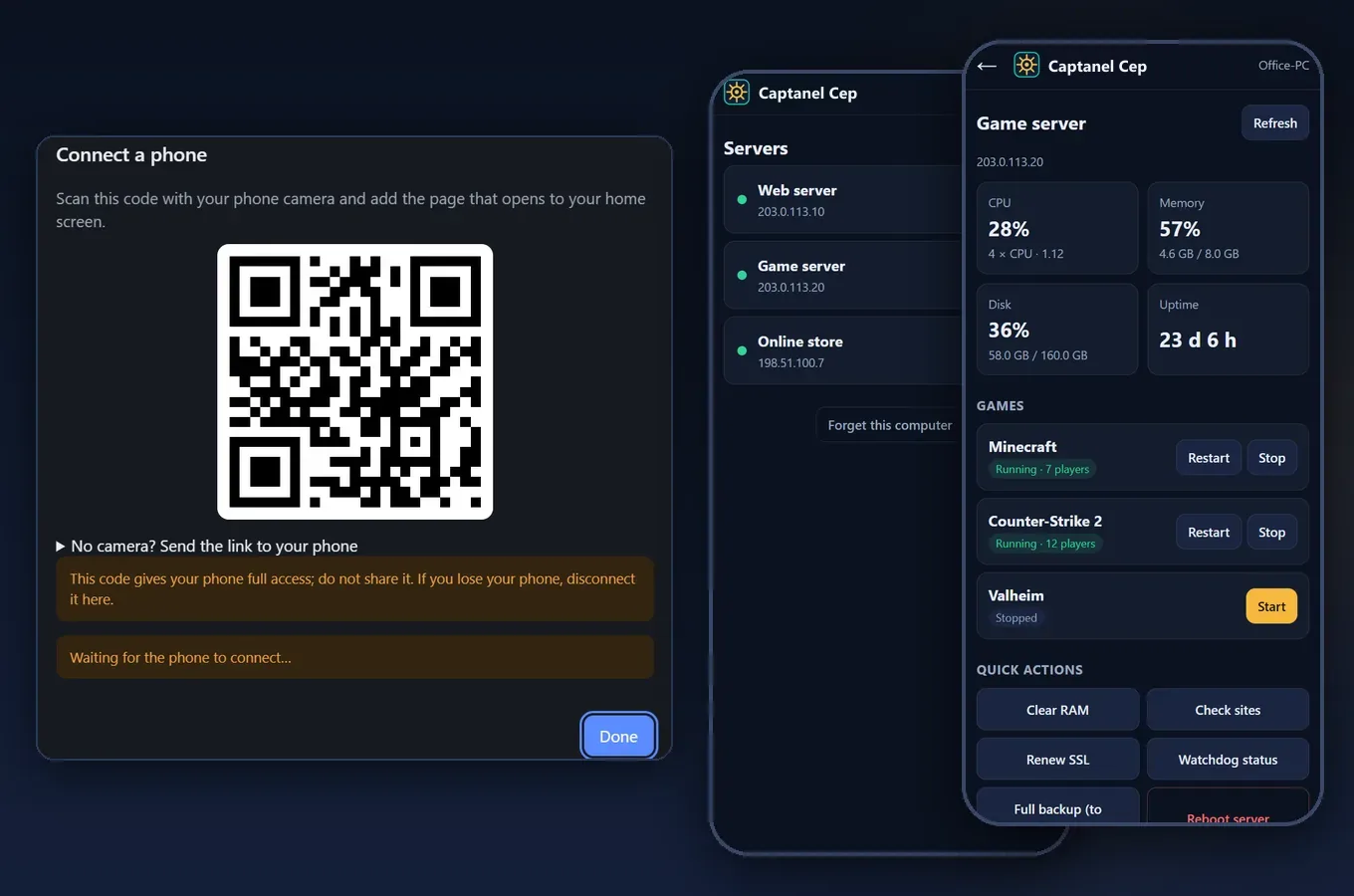
You are on holiday, your site goes down or your game server freezes, and your computer is at home. With Captanel Mobile you fix it from your phone in a few taps.
How do you connect?
In Captanel, open Settings → Phone control → Connect a phone and scan the QR code with your phone camera. Add the page that opens to your home screen; it opens like an app. Nothing to download from the App Store or Google Play; it works on iPhone and Android.
What can you do from your phone?
- See whether a server is up; check CPU, memory, disk and uptime
- Start and stop games like Minecraft, CS2 and FiveM, or restart them with a warning to players
- Restart services such as the web server, database and Docker
- Clear RAM, renew the SSL certificate and reboot the server
- With your computer on, take a full backup and check your sites
Even with your computer off
Once you "Prepare" a server, a small listener is installed on it. With your computer off, the phone talks to the server directly, so status, games, services, RAM, SSL and reboot still work. No port or panel is opened to the internet on the server.
Secure
- Your server passwords never go to the phone; they stay in the encrypted vault on your computer.
- Every phone and every server has its own key; messages are end-to-end encrypted.
- Deleting, restoring and installing are not possible from the phone. A lost phone is disconnected in one click and the keys are renewed.
Works with alerts
When the 24/7 watchdog spots a problem, it notifies your phone. Open Captanel Mobile from the alert and fix it right there.